Feathered Fugitive
Feathered Fugitive is a third-person 3D game played on PC with either a keyboard and mouse or controller. In this game, you are a chicken on a farm plotting your es- cape. You will need to gather a number of keys through a series of challenges and exploration, unlock the electri- cal box to turn off the power to the gate and make your grand escape, all the while farmers and their dogs try to stop you.
Game Manager
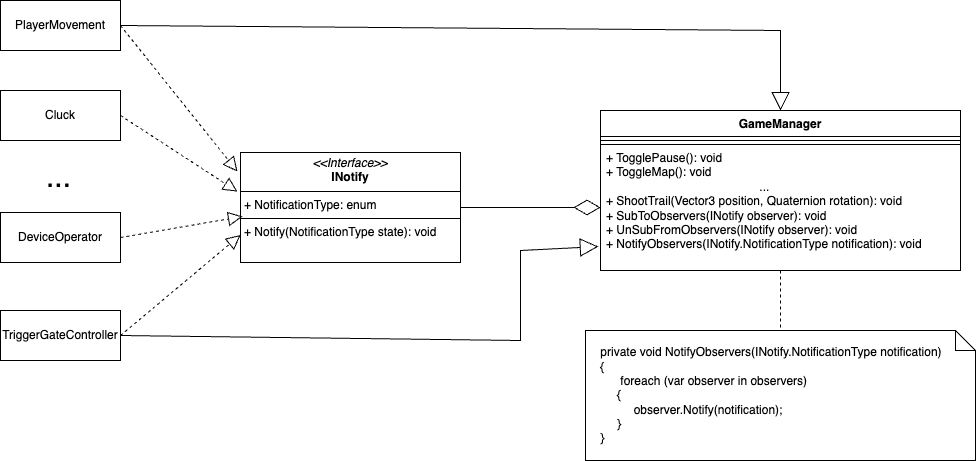
The game manager uses the observer design pattern. The goal of the game manager and other managers is to ensure there is a single point of communication between classes to reduce dependencies
AI
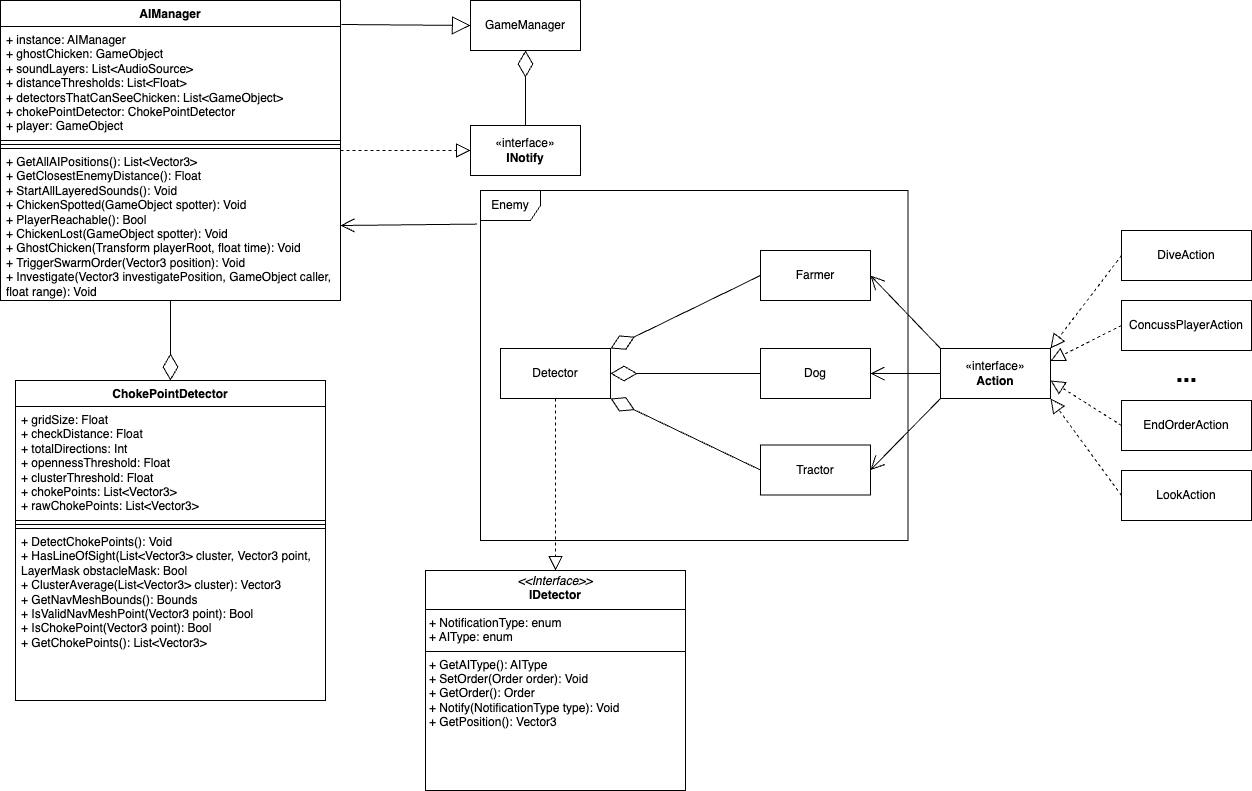
The AI system mainly consists of 3 behaviour trees (Farmer,
Dog and Tractor), these utilize actions to create their Behaviours. They
also link to a Detector which is used for applying the constraints used to
find the chicken. All enemy objects are listed in the AIManager which controls the
overall strategy of all the AIs through its logic and that of ChokePointDetector.
As the AIManager triggers events they are notified to the GameManger, also events
of the GameManager are used to alter certain behaviours of this script.
Cameras
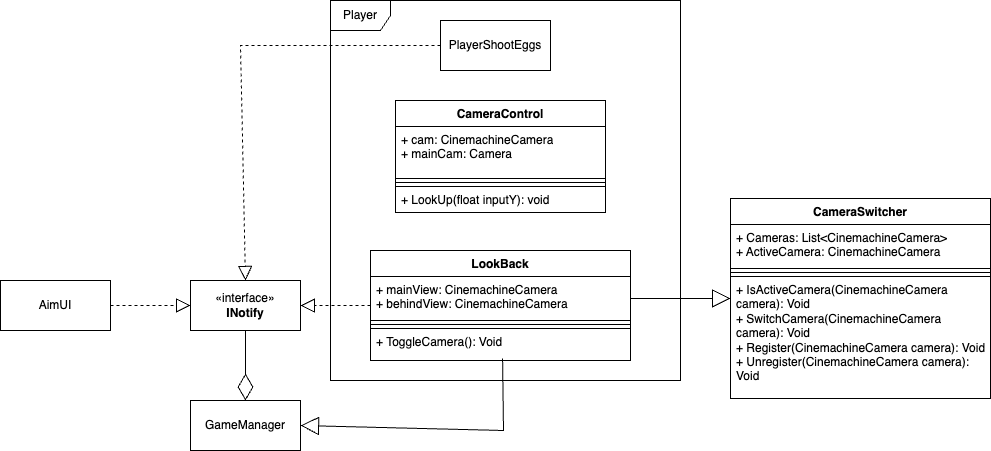
The cameras rely on the CameraSwitcher script, this is a script which holds all the
Cinemachine cameras and is in charge of switching them out for the different views, i.e. looking behind
and the regular camera. LookBack is a script that takes advantage of this and notifies the GameManager
on what it does, in turn triggering the AimUI and the PlayerShootEggs. There is another script which
manipulates the cameras called CameraControl, this is in charge of looking up, it will lower the position of
the chicken on the screen so you can see more above you.
Tutorial
Interactables
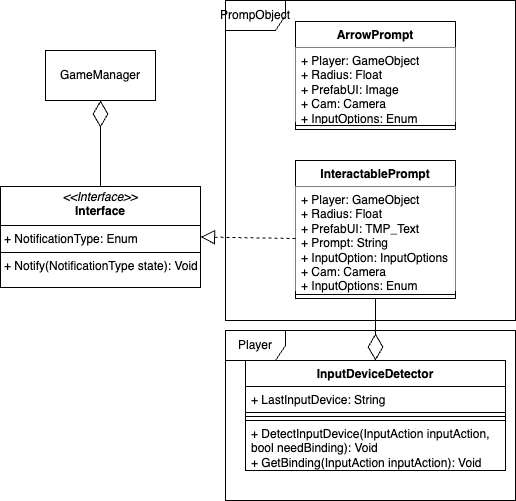
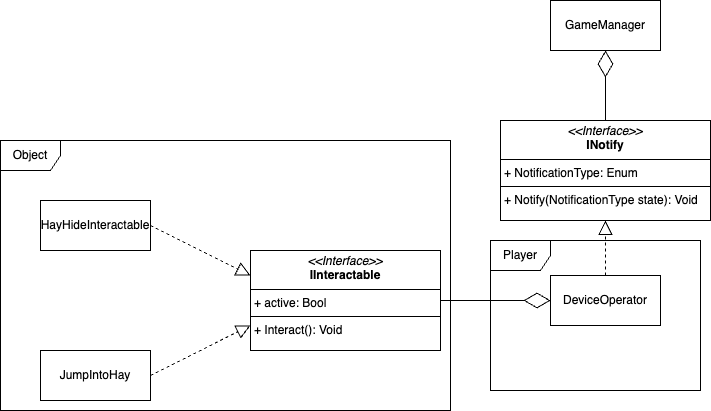
Interactables work by a script on the player which raycasts a certain distance in front of the player and checks for obstacles which contain IInteractable every time the interact button is pressed. If such an object is present it will go and trigger the interaction.
Prompts
Within the game there are prompts, these are text boxes that are displayed above some interactables when you come into range. They work by taking the world coordinates of the prompt object and translating it into 2D coordinates for the HUD, at which point it will instantiate a text prefab on these coordinates.